
Learn WordPress best practices through your own site
The WordPress site health plugin with clear, actionable steps
DiveWP checks performance, security, database, logs and scheduled tasks, then explains every result in plain English. Fix what matters and learn WordPress as you go.
- Free, GPLv2
- WordPress 6.0+ · PHP 7.4+
- Diagnostics never use an AI provider
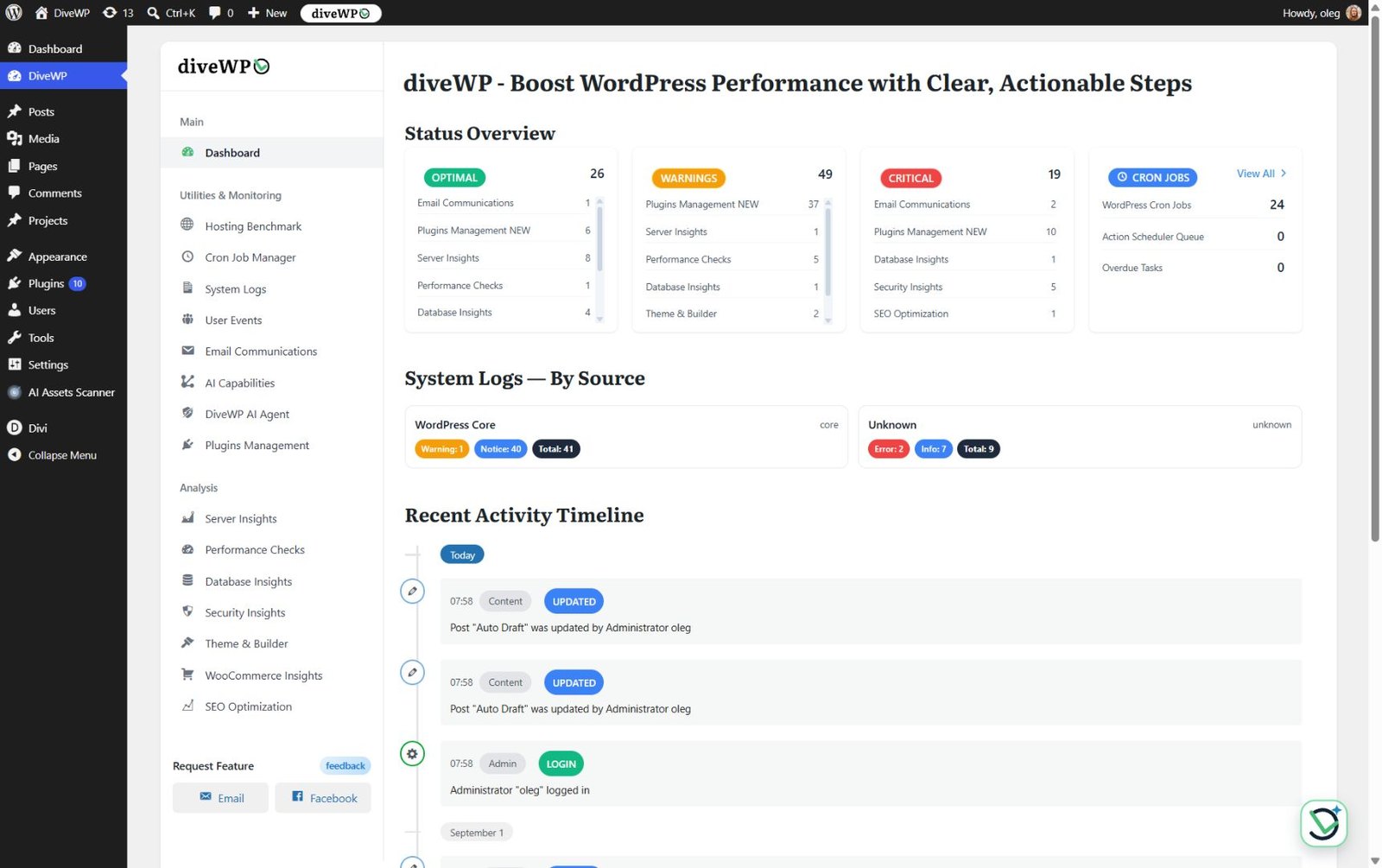
wp-admin › DiveWP › Dashboard
3.0.0
Latest version, with AI Agent
7.1
Tested up to WordPress 7.1
5.0
From 6 ratings on WordPress.org
200+
Active installs
- Our features
A WordPress diagnostics plugin that explains every result
Read-only checks across your whole stack. Each one tells you what it found, why it matters and what to do next.
Standard diagnostics never use an AI provider. DiveWP recommends; it doesn't silently change your site.
Server configuration
PHP and database versions, memory, execution time, upload limits and PHP extensions, with plain-language recommendations.
Performance & speed
Page caching, CSS/JS minification, deferred JavaScript, image optimisation, lazy loading and persistent object cache.
Database health
Size, table overhead, revisions, spam comments, expired transients and non-core tables. Cleanup is recommended, never run for you.
Security & best practices
HTTPS, file permissions, the default admin username, database prefix, file editor and debug mode. Configuration checks, not a malware scanner.
SEO configuration audit
SEO plugin, homepage meta description, XML sitemap, robots.txt, permalinks and search visibility. Clear gaps, no ranking promises.
WooCommerce optimization
Cart fragments, session handling, old order volume and product revisions, when WooCommerce is active. Store data is never changed.
Email system monitor
SMTP plugins, email-authentication indicators and wp_mail() checks, a test send, and a log of sent and failed messages.
Theme & builder analysis
Theme version, child theme, translation readiness, inactive themes and page builders, without touching your design.
New in 3.0
Ask DiveWP AI Agent what's going on with your site
An opt-in chat in wp-admin that answers site-health questions from DiveWP's own diagnostics and the screen you're on. No separate scan to run first.
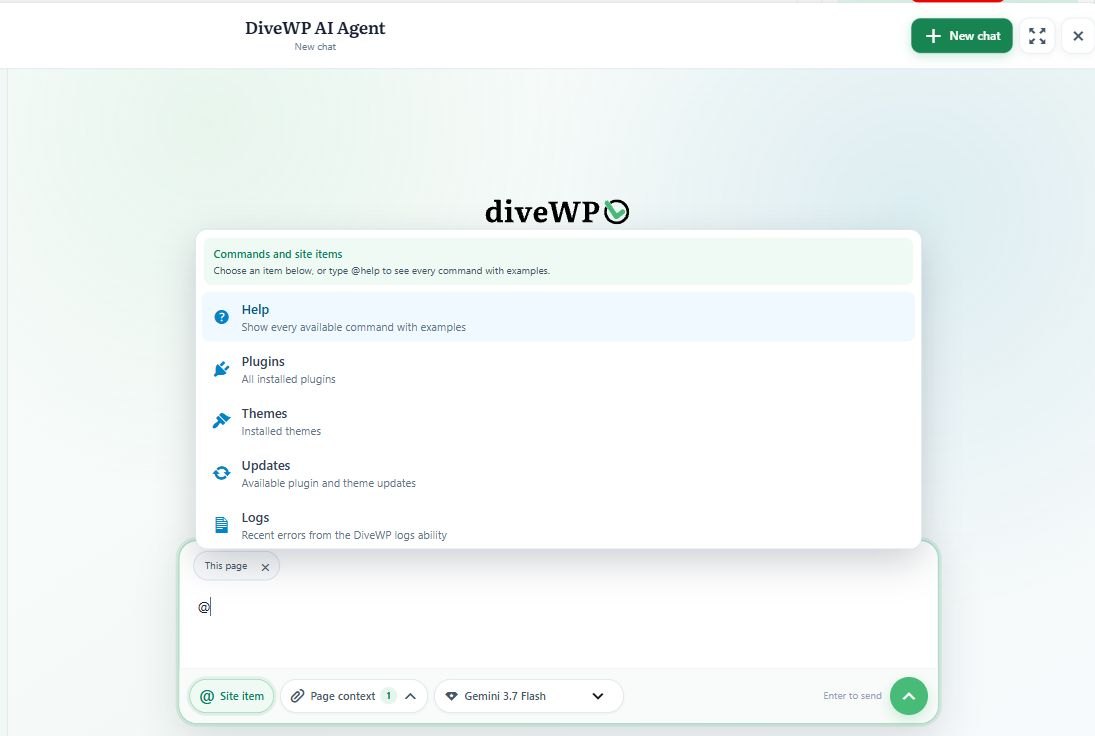
- Type @ to pick a plugin, theme, update or log as evidence
- Searchable history, export, retention controls and Read Aloud
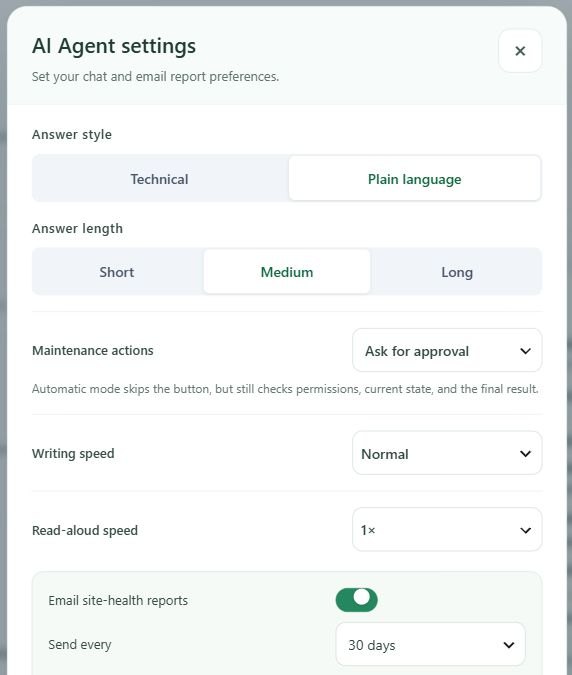
- Optional site-health email report, every 30 days by default
- Step 1
Mention what needs work
Name the exact plugin, theme or update with @, then ask for the change in plain words.
- Step 2
Approve it with one click
Approval mode is the default. Updates show live progress for every item.
- Step 3
DiveWP verifies the result
Permissions and current state are rechecked, the outcome is verified, and the action is logged.
Requirements. AI chat needs WordPress 7.0+, the WordPress AI Client and a provider in Settings > Connectors (provider terms and charges apply). Every other tool works on WordPress 6.0+.
- Monitoring & maintenance
WordPress performance monitoring and maintenance in one place
Beyond the checks, DiveWP gives you the tools to act: update and roll back plugins, read your logs and keep scheduled tasks healthy.
Plugin management without the guesswork
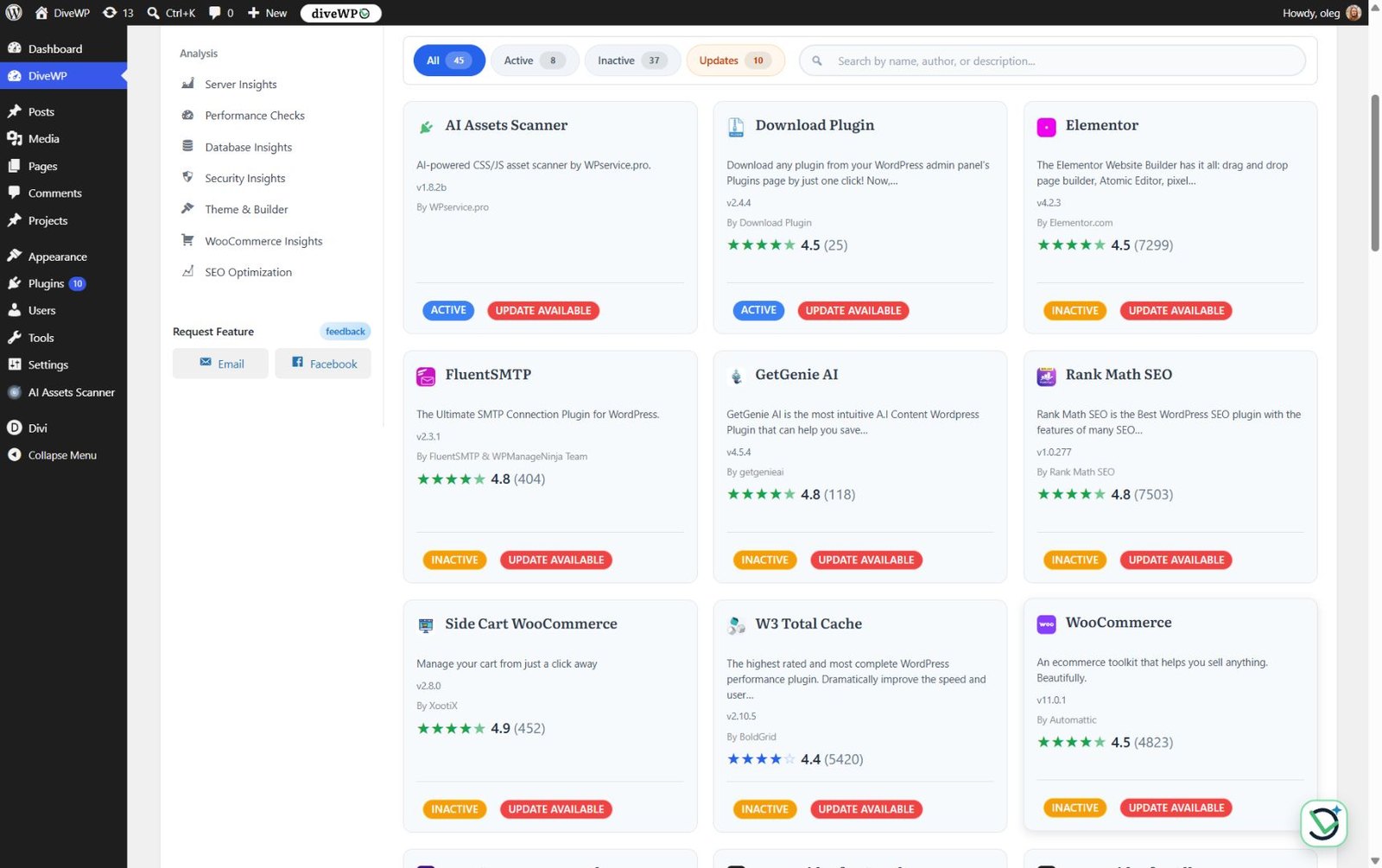
Search and filter installed plugins by active, inactive or update status. Read WordPress.org descriptions, changelogs, ratings and reviews before you act.
- Activate, deactivate and update in one view
- Update from AI Agent chat with live progress
DiveWP › Plugins Management
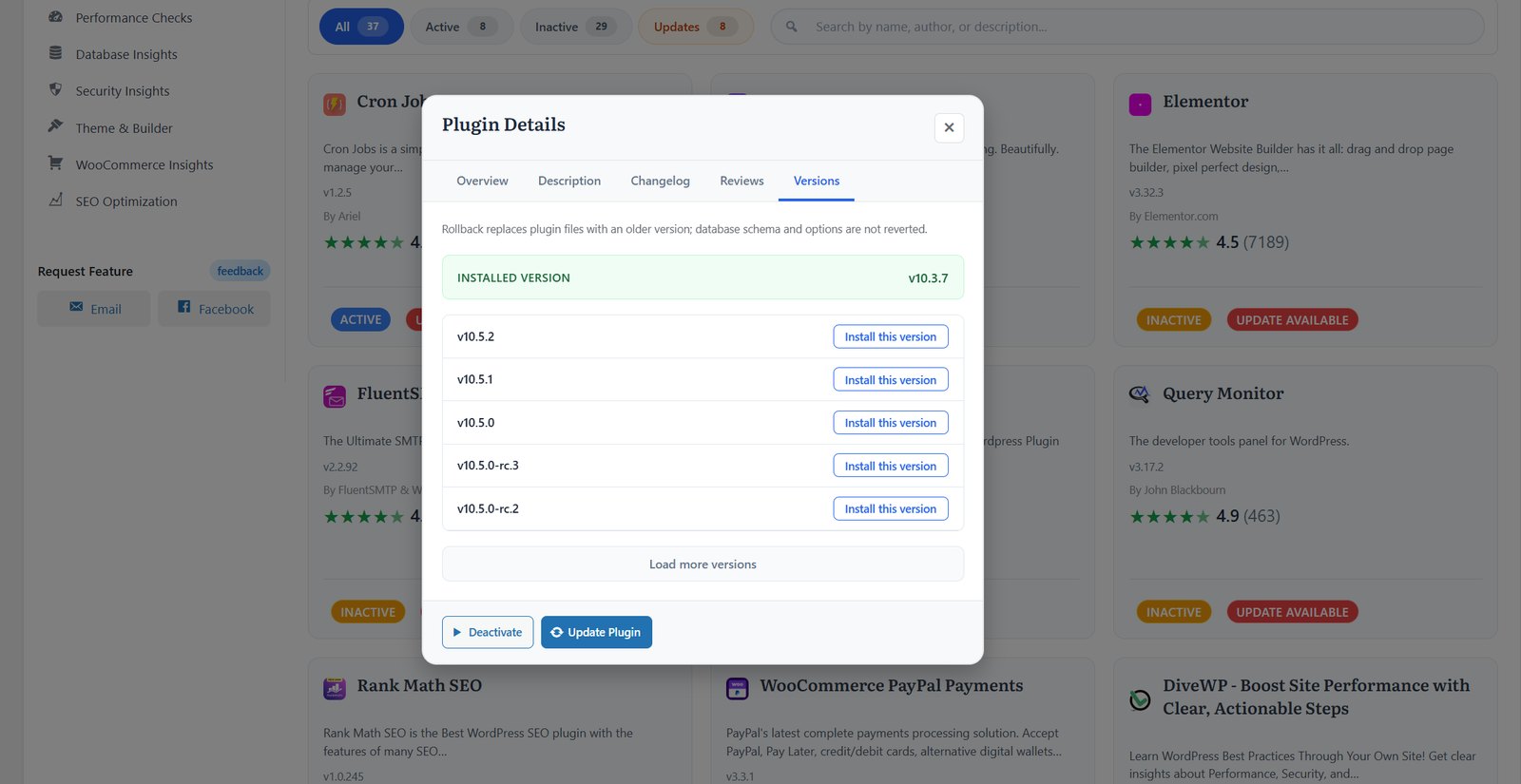
Roll back an eligible plugin
Pick an earlier version from the Versions tab and install it. Rollback replaces files, not database changes or options.
Plugin Details › Versions
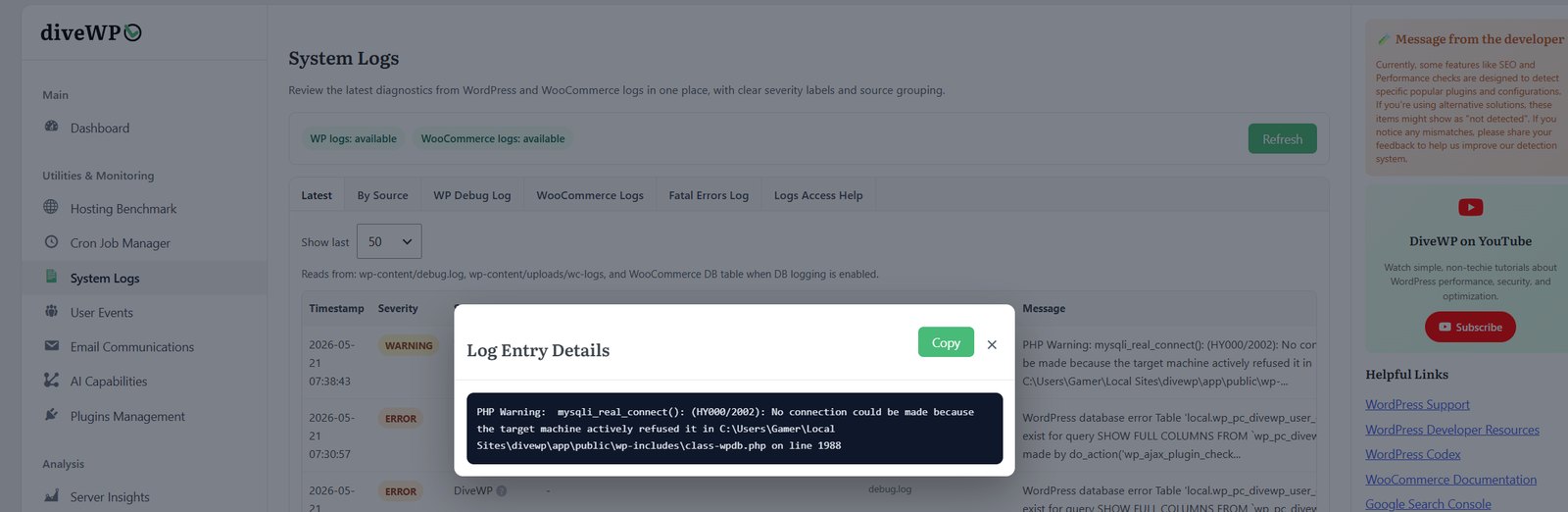
Every log in one place
Read debug.log, WooCommerce logs and fatal errors with Latest, By Source and Fatal Errors views, severity labels, stack context and copy controls.
DiveWP › System Logs
Cron Job Manager
Monitor WP-Cron events and Action Scheduler queues. Find overdue jobs and potential orphan hooks, and inspect duration, peak memory and errors for each run.
DiveWP › Cron Jobs

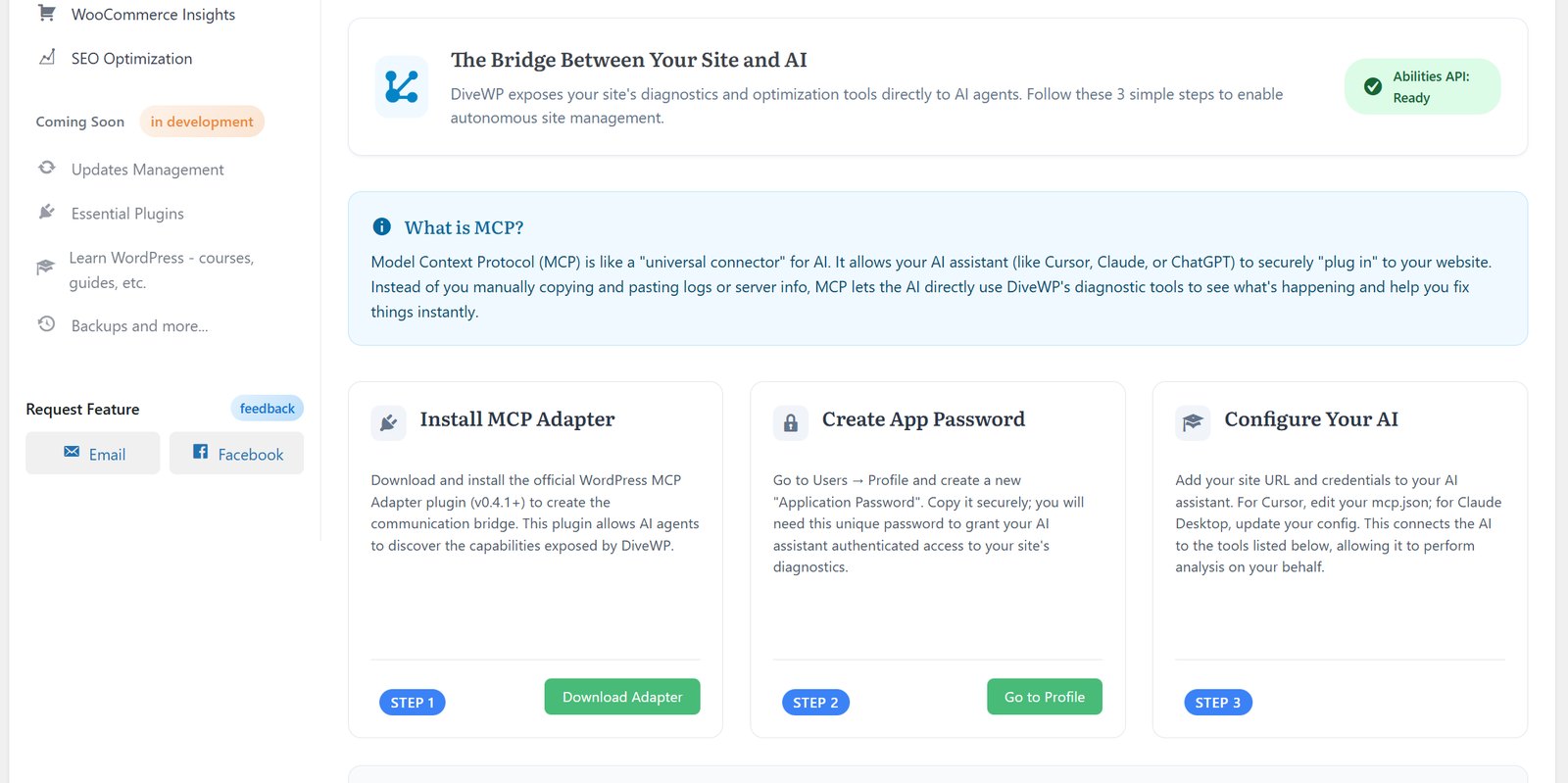
Abilities API and MCP
14 abilities let MCP clients read DiveWP's server, performance, security, cron, logs and other reports. Setup covers the MCP adapter and Application Passwords. Needs WordPress 6.9+.
DiveWP › MCP Integration
Also included
Hosting benchmark
Test database, CPU, memory, file I/O, network and concurrency, and compare with previous runs.
User activity log
Logins, failed logins and content, plugin, theme and settings changes. 30-day default retention.
Email log
See which emails were sent or failed, who triggered them and why.
Dashboard overview
Diagnostic status, plugin updates, cron totals, overdue tasks and logs by source at a glance.
- How it works
Learn WordPress while improving your site
1
Install & scan
Quick installation and automatic site analysis.
2
Get clear insights
Easy-to-understand explanations for every check.
3
Learn best practices
Understand WordPress through your own site.
4
Implement changes
Follow the recommendations, or approve updates from chat.
5
Monitor progress
Track logs, tasks and activity, with optional email reports.
- User feedback
What WordPress users say
It’s not just a plugin - it’s a learning tool. If you’re a beginner, DiveWP helps you understand how to maintain your website properly and what to pay attention to.
kostadin4press
“Insightful WordPress Plugin” · Feb 24, 2026
WordPress.org review
What a great plugin. Peace in mind. Fast understanding and view of every missing actions on a website. Really practical when you begin on a website made by others before you take it in charge.
Picturgency
“Awesome” · Jan 14, 2026
WordPress.org review
More from DiveWP users
“Finally, I understand what's happening on my site! The plain English explanations are incredibly helpful.”
WordPress Beginner
“diveWP helps me maintain multiple client sites efficiently while teaching my team WordPress best practices.”
Agency Owner
“Optimized our store's performance and learned how to maintain it. Sales have improved since the site got faster.”
WooCommerce Store Owner
“The SEO insights helped me improve my site's visibility while learning WordPress optimization.”
Content Creator
- FAQ
Frequently asked questions
Can't find your answer? Read the docs or get in touch.
Do I need technical knowledge?
Not at all. DiveWP explains everything in plain English and guides you through each step.
Will this modify my site settings?
Diagnostics are read-only. DiveWP changes your site only when you ask: plugin activation, updates and rollback in Plugins Management, or plugin and theme updates from AI Agent chat. Approval mode is the default, and each change is permission-checked, verified and logged.
Is WooCommerce required?
No. WooCommerce checks and log sources appear only when WooCommerce is active.
Will this plugin slow down my site?
Most analysis runs in wp-admin. Activity, email and cron monitoring, log retention and optional AI features use WordPress hooks only when they are active.
Does the AI Agent work without an AI connector?
No. Configure a compatible text-generation provider under Settings > Connectors. Provider terms and charges apply. All non-AI tools keep working without one.
What happens on an older WordPress version?
Standard tools support WordPress 6.0+. On versions before 7.0, the AI Agent shows an update guide instead of chat.
Is DiveWP a caching, security, backup or SEO plugin?
No. DiveWP explains the configuration it detects. It doesn't replace caching, malware scanning, firewall, backup, SMTP delivery or full SEO tools.
- Blog
Latest from the DiveWP blog
Guides, tutorials and product updates to help you run a faster, healthier WordPress site.
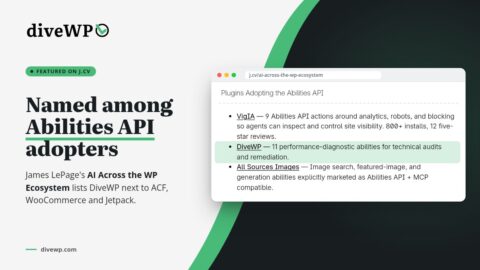
DiveWP Featured by James LePage Among WordPress Abilities API Plugins
James LePage named DiveWP among the plugins adopting the WordPress Abilities API in AI Across the WP Ecosystem. Here is […]
Read more: DiveWP Featured by James LePage Among WordPress Abilities API Plugins
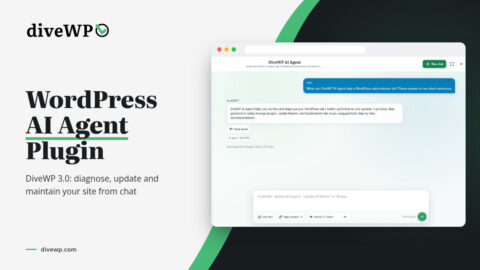
The Free WordPress AI Agent: How DiveWP 3 Diagnoses and Maintains Your Site
Looking for a WordPress AI agent plugin? DiveWP 3 adds an opt-in AI Agent that answers site-health questions from real […]
Read more: The Free WordPress AI Agent: How DiveWP 3 Diagnoses and Maintains Your Site

Step-by-step guide: Boost LocalWP performance on Windows and resolve the slow pc isues!
The "Supercomputer" Paradox If you develop WordPress on Windows 10 or 11, you have likely experienced a frustrating paradox: You […]
Read more: Step-by-step guide: Boost LocalWP performance on Windows and resolve the slow pc isues!

DiveWP Author, Oleg Petrov, Named Brand Ambassador for SERP Conf Sofia 2025
We're thrilled to announce that Oleg Petrov, the driving force behind the popular DiveWP plugin, has been appointed as a […]
Read more: DiveWP Author, Oleg Petrov, Named Brand Ambassador for SERP Conf Sofia 2025
New update Changelog: 2.0.1 – Bug Fixes and Improvements!
Latest Changes and bug fixes reported by beta testers in diveWP 2.0.1: • Improved security plugin detection system with exact […]
Read more: New update Changelog: 2.0.1 – Bug Fixes and Improvements!
DiveWP 2 Beta Is Here: The Ultimate Tool for WordPress Performance and Learning WordPress for Beginners!
WordPress performance is becoming even more significant topic in 2025 so let me introduce diveWP! It’s been a journey filled […]
Check your site's health today
Install DiveWP from WordPress.org and get your first plain-English diagnosis in minutes.
Free · Version 3.0.0 · Tested up to WordPress 7.1